So, you want to get more out of your blog, right? The secret sauce, the thing that often separates a thriving blog from one just… existing, is analytics. Simply put, blog analytics give you the real data on how your content is performing. It’s not about guessing what your audience likes or what works; it’s about knowing. This data helps you make smarter decisions, write more engaging content, and ultimately, grow your readership. Consider it your blog’s GPS, guiding you toward what resonates and away from what doesn’t.
Before you can dive into the nitty-gritty of understanding your blog’s performance, you need the right tools in place. Think of it as preparing your workbench before starting a project.
If you’re building a blog, you can explore our Blogging section for more growth strategies.
Google Analytics 4 (GA4) – Your Main Hub
For most bloggers, GA4 is the gold standard. It’s free, powerful, and provides a comprehensive overview of your website traffic and user behavior. If you haven’t set it up yet, make it your priority.
Installation Process: Head over to the Google Analytics website, create an account if you don’t have one, and follow the steps to set up a new property. You’ll get a tracking code that you’ll need to add to your blog. Most website platforms (WordPress, Squarespace, Wix) have direct integrations or plugins that make this relatively straightforward.
Initial Configuration: Beyond just installing the code, take a few minutes to configure some basics. This includes setting your time zone, currency (if applicable), and linking it with other Google services like Google Search Console. These small steps ensure the data you collect is relevant and accurate for your location and goals.
You can also discover useful platforms in our Apps & Software category.
Google Search Console – Understanding Search Performance
While GA4 tells you what happens on your blog, Google Search Console (GSC) tells you how people find you through Google Search. It’s a crucial complementary tool.
Connecting Your Blog: Similar to GA4, you’ll need to verify your ownership of the blog in GSC. This usually involves adding a meta tag to your website’s header or uploading a file to your server.
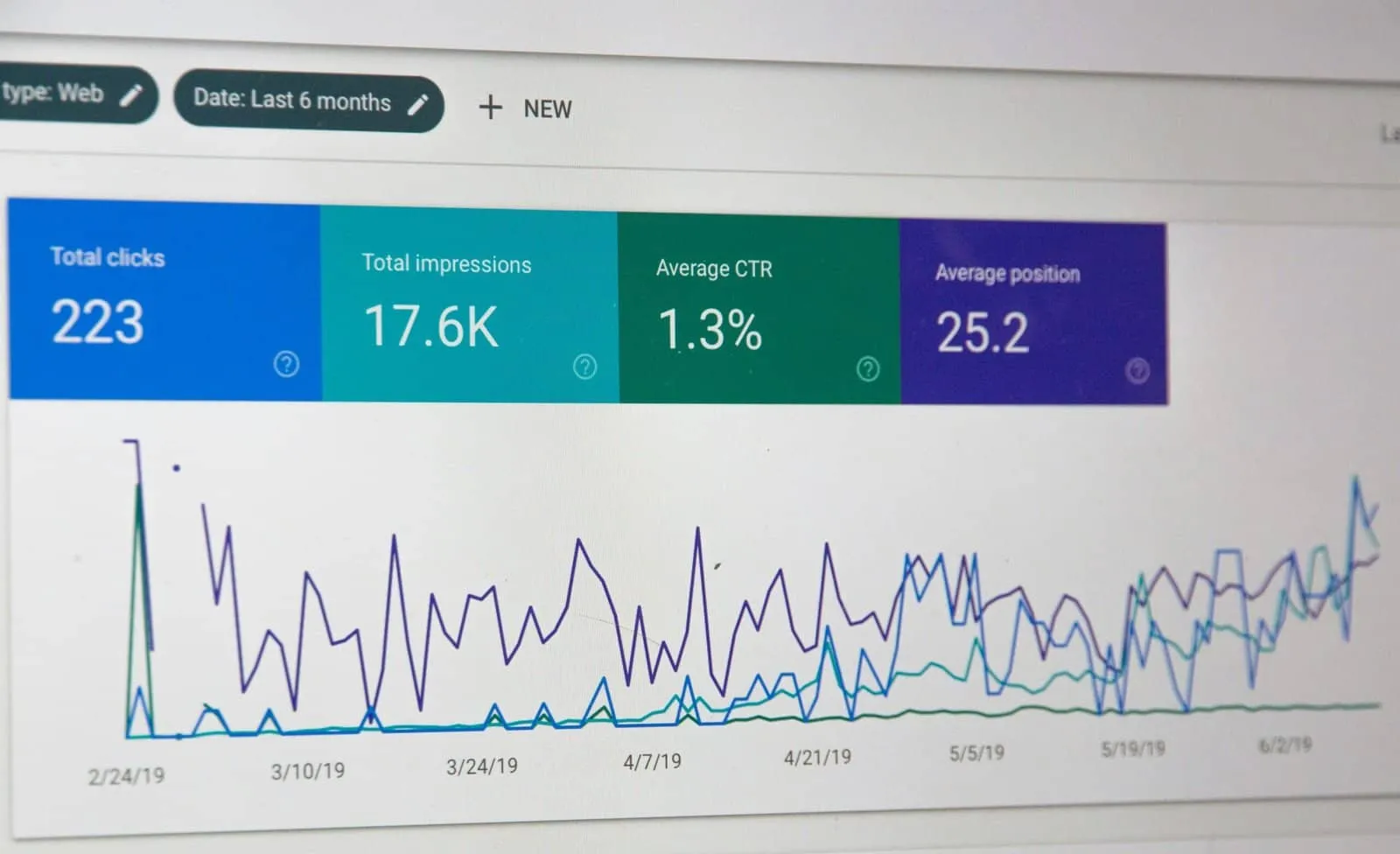
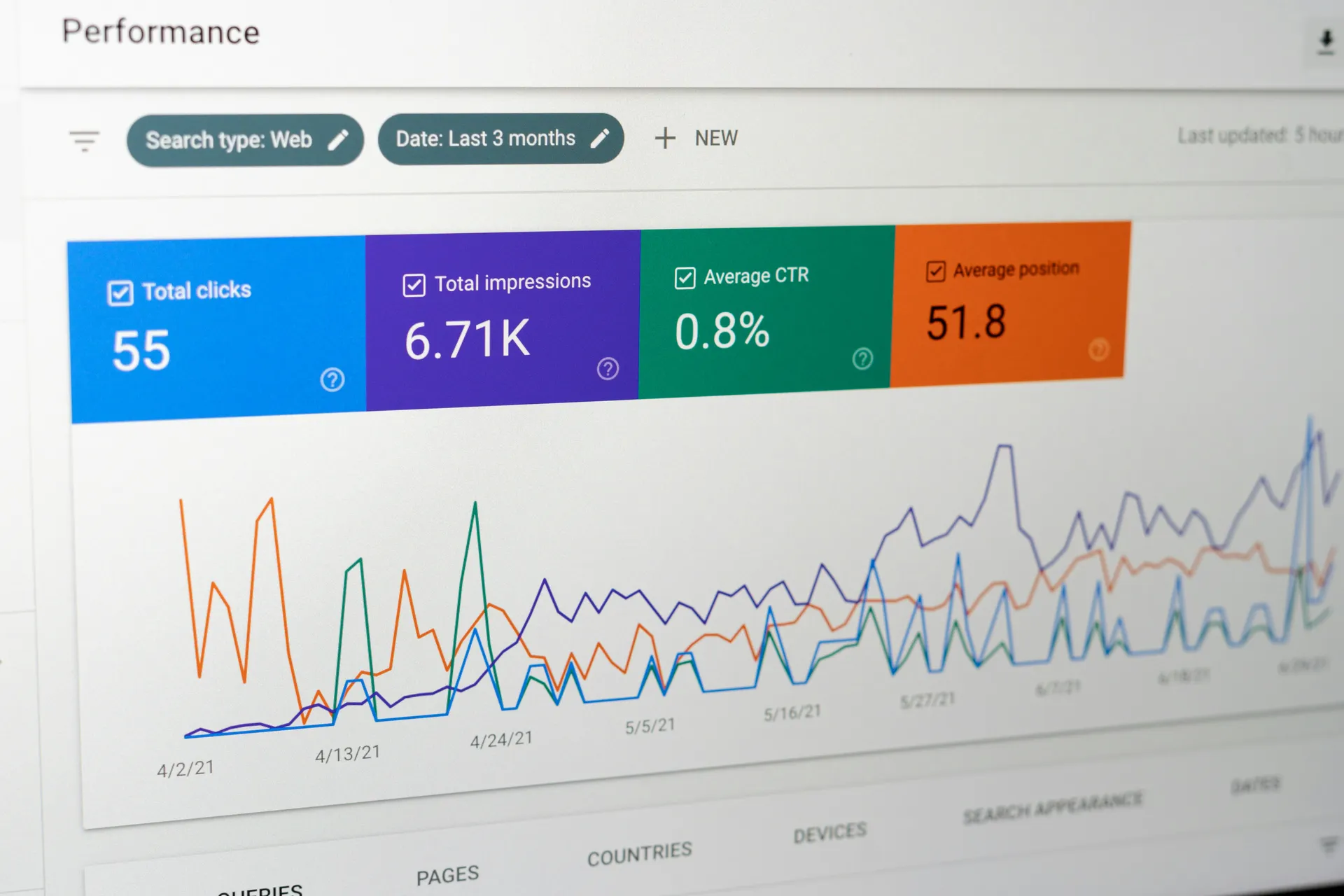
Key Features for Bloggers: GSC provides insights into your search queries (what people type into Google to find your content), your average position in search results, click-through rates, and any indexing issues Google might have with your site. It’s invaluable for SEO.
To improve your rankings further, check out our Technology section.
Your Blog Platform’s Built-in Analytics
Many blogging platforms offer their own basic analytics dashboards. While often not as robust as GA4, they can provide a quick snapshot.
Quick Overviews: These dashboards are good for a quick check on daily visitors, popular posts, or recent traffic spikes. They are a convenient starting point for a high-level overview.
Supplements, Not Replacements: Remember, these are usually supplementary. GA4 will almost always provide more depth and flexibility for detailed analysis. Use them for convenience, but rely on GA4 for serious insights.
For those interested in enhancing their blogging analytics, a related article that provides valuable insights is available at Appluxe: What is the App Marketplace?. This article delves into the importance of app marketplaces in optimizing digital content and can help bloggers understand how to leverage analytics tools effectively to improve their online presence.
Decoding Your Audience: Who Are They And What Do They Do?
Understanding your audience is fundamental to creating content that resonates. Analytics provides the clues to piece together this puzzle.
Demographics and Interests
GA4 offers insights into who your visitors are, even without knowing their names. This data is anonymized, but still powerful.
Age and Gender: While not always 100% accurate due to privacy settings, these can give you a general idea of your audience’s age range and gender distribution. Is your content primarily appealing to younger adults, or a more mature demographic?
Geographic Location: Knowing where your audience is located helps tailor content, consider time zones for publishing, or even localize language if needed. Are you reaching a global audience, or primarily one country?
Interests/Affinity Categories: GA4 tries to categorize your audience based on their broader interests (e.g., “Foodies,” “Tech Enthusiasts,” “Travel Buffs”). This can spark ideas for new content topics that align with what your audience is already interested in.
Understanding your audience is also key to building online income, explore our Make Money Online strategies.
User Behavior on Your Blog
This is where you start understanding how people interact with your content once they arrive.
Pages per Session/Engagement Rate: Are people viewing multiple pages on your blog during a visit, or just bouncing after one? A higher number of pages per session indicates greater engagement. In GA4, “engagement rate” provides a similar look at how many sessions are considered “engaged” (lasting longer than 10 seconds, or having a conversion event/more than one page view).
Average Session Duration: How long do people spend on your blog? Longer durations generally mean they are finding your content valuable and are spending more time reading. Shorter durations could indicate your content isn’t meeting expectations.
Bounce Rate (or lack thereof in GA4): While GA4 doesn’t explicitly report “bounce rate” as it did in Universal Analytics, you can infer engagement from metrics like engagement rate or by looking at single-page sessions. A “bounce” traditionally meant someone visited one page and left without any further interaction. A high level of single-page sessions might suggest your content isn’t compelling enough to keep them exploring.
Navigation Paths: Where do people go after they land on a specific page? Do they click on internal links, subscribe to your newsletter, or head back to your homepage? Understanding these paths can reveal how users move through your site.
Content Performance: What’s Working and What’s Not?
This is arguably the most practical application of analytics for bloggers. It tells you directly what content your audience loves and what might need a rethink.
For more content ideas and strategies, visit our Blogging tips.
Top Performing Pages/Posts
This is your go-to report for understanding which pieces of content are your biggest draws.
Page Views: Which pages or posts receive the most traffic? These are your power pages, your tried-and-true content.
Entry Pages: Where do people typically land when they first come to your blog? This tells you which content brings in new visitors.
Exit Pages: Which pages are people leaving your site from? A high exit rate on an important page (like a sales page or a “next step” page) could indicate an issue. Conversely, a high exit rate on a blog post might just mean they got what they needed and are moving on.
Digging Deeper into Top Posts: Don’t just note the highest-traffic posts. Look at the engagement metrics for those posts: average time on page and engagement rate. This tells you if the traffic is actually reading and engaging, or just clicking and leaving quickly. A post with high traffic but low engagement might be attracting the wrong audience or the content isn’t meeting expectations.
Underperforming Content
Analytics isn’t just about celebrating successes; it’s about identifying areas for improvement.
Low Traffic Posts: Content that gets very few views could be a sign of poor promotion, unmet audience needs, or lack of search engine visibility. Consider updating, repurposing, or promoting these posts differently.
High Exit Rate/Low Engagement on Key Pages: If a post you consider important consistently has a high exit rate or low engagement, it’s a red flag. Is the content unclear? Is the call to action missing or confusing? Is the formatting poor? This data points to specific content that needs attention.
Identifying Content Gaps: When you see a popular topic with only one post, or a niche your audience is interested in (based on their interests), but you haven’t written much about it, that’s a content gap. Analytics helps reveal these opportunities.
Sure, here is the sentence with the clickable link:
Apps, Software, SaaS, Lifetime deals & discounts right to your in-box.
Get first access to exclusive software reviews, hand-picked SaaS lifetime deals, and digital growth strategies delivered straight to your inbox. No spam, ever—just pure software value to scale your business.
60 subscribers have joined!
If you love lifetime SaaS deals as much as I do, then please subscribe to our monthly/weekly AppLuxe newsletter.
Marcus Vance, SaaS Specialist
Traffic Sources: Where Do Your Visitors Come From?
Understanding where your traffic originates helps you focus your promotional efforts and double down on what’s effective.
Organic Search
This refers to visitors who find your blog through search engines like Google, Bing, or DuckDuckGo.
Search Queries (Google Search Console): Use GSC to see the exact keywords people are using to find your content. This is gold for optimizing existing posts and generating ideas for new ones.
Page Position: GSC also shows your average ranking for various keywords. A consistently low ranking for an important keyword means you likely need to improve your SEO for that post.
Click-Through Rate (CTR): Even if you rank well, a low CTR from search results means your title or meta description isn’t compelling enough. Optimizing these can significantly increase traffic.
Social Media
Traffic from platforms such as Facebook, Twitter, Pinterest, LinkedIn, or Instagram.
Platform Performance: Analytics will tell you which social platforms are sending you the most traffic. This helps you prioritize your social media efforts. Are you spending too much time on a platform that sends minimal traffic, while neglecting one that brings in a lot?
Individual Post Performance: You can often track which specific social posts drove traffic to your blog. This helps you understand what type of social content (e.g., questions, images, videos, direct links) resonates most on different platforms.
Referral Traffic Details: Sometimes, social media traffic might show up under “referral” traffic, especially for older links. It’s helpful to look into the specifics to determine the exact social source.
Referral Traffic
These are visitors who come to your blog from another website by clicking a link.
Identifying Link Builders: Which websites are linking to your content? This can highlight potential partnership opportunities, influential sites in your niche, or even show you where your existing content is gaining traction naturally.
Guest Post Effectiveness: If you’ve written guest posts on other blogs, referral traffic data will show you how much traffic those posts are driving back to your site. This helps you evaluate the ROI of your guest blogging efforts.
Visitors who type your URL directly into their browser, use a bookmark, or click a link from an offline source (like an email newsletter without tracking parameters).
Brand Recognition: A healthy amount of direct traffic can indicate brand recognition. People know your blog and intentionally come to visit.
Email Marketing Insights: If you’re sending out newsletters, much of that traffic might appear as direct traffic unless you use specific UTM parameters in your links (more on this next).
To grow your business and traffic, check our Business category.
Other Sources (Email, Paid Ads)
UTM Parameters: To accurately track traffic from specific campaigns (like email newsletters, paid ads, or specific social media campaigns), you must use UTM parameters. These are small tags you add to your URLs that tell analytics tools where the traffic came from, what campaign it was part of, and even what keyword or ad caused the click. Without them, all your email clicks might just appear as “direct” traffic, making it impossible to evaluate your email marketing’s effectiveness.
Understanding blogging analytics is crucial for improving your content strategy and engaging your audience effectively. For those looking to dive deeper into this topic, a related article can provide valuable insights and tips on how to leverage data to enhance your blogging efforts. You can explore more about this in the article available at Appluxe’s blogging section, where you’ll find resources that can help you make informed decisions based on your analytics.
Making Data-Driven Decisions: Applying Your Insights
Metrics
Value
Page Views
10,000
Unique Visitors
5,000
Time on Page
2 minutes
Bounce Rate
30%
Having all this data is one thing; putting it to good use is another. This is where the magic happens.
Content Strategy Refinement
Use your analytics insights to sharpen your content strategy.
Topic Generation: Look at your top-performing content, search queries from GSC, and audience interests. This will give you a clear roadmap for future blog posts that are likely to resonate with your audience. If an old post on “X topic” is suddenly getting a lot of traction, write more on “X topic” or related sub-topics.
Content Updates: Identify underperforming posts or those with consistently low engagement. Can they be updated with fresh information, better examples, or improved formatting? Sometimes, a quick edit can significantly boost an old post’s performance. Focus on posts that have some search ranking but aren’t quite hitting the first page – an update could push them over.
Format Experimentation: Are certain types of content (e.g., listicles, tutorials, interviews) performing better than others? Experiment with different formats based on what your audience seems to prefer. Maybe your audience likes video content embedded within posts, or they respond well to long-form guides.
Optimizing User Experience (UX)
Analytics can highlight areas where users might be struggling or getting frustrated, leading to improvements in your blog’s design and navigation.
Site Navigation: If users consistently drop off at a certain point or struggle to find key pages, it might indicate issues with your navigation menu, internal linking structure, or search functionality. Look at your navigation paths to see where users get stuck or exit unexpectedly.
Mobile Responsiveness: A significant portion of blog traffic comes from mobile devices. If your mobile engagement metrics are consistently lower than desktop, it flags a usability issue that needs addressing promptly. GA4 offers specific reports for device performance.
Page Load Speed: While not directly an analytics metric, slow page load speeds (which you can check with tools like Google PageSpeed Insights) will negatively impact your engagement metrics. Users are impatient. If your pages take too long to load, they will leave before your content even appears.
Enhancing Promotion Efforts
Analytics helps you understand what promotional channels work best, allowing you to allocate your time and resources efficiently.
Social Media Focus: Stop chasing every social media trend. Focus your efforts on the platforms that consistently send engaged traffic to your blog. What kind of content performs best on those platforms? Adjust your strategy based on that.
Guest Posting/Outreach Targets: If certain referrer sites are sending you high-quality traffic, those are excellent candidates for future guest posts or collaborative content. Conversely, if a past guest post didn’t deliver, you might reconsider similar opportunities.
Email Strategy: If you’re not using UTM parameters in your email links, start now! This will let you track which subject lines, calls to action, or even specific email campaigns are most effective at driving traffic and engagement. This applies equally to any paid advertising campaigns you might run.
By regularly checking your analytics – not daily, but perhaps weekly or monthly for a deeper dive – you turn your blog from a guessing game into a data-driven venture. It’s an ongoing process of learning, adjusting, and refining, all powered by the tangible evidence of how your audience truly interacts with your work.
Blogging analytics refers to the process of tracking and analyzing data related to a blog’s performance. This includes metrics such as website traffic, user engagement, conversion rates, and other key performance indicators.
Why are blogging analytics important?
Blogging analytics are important because they provide valuable insights into the effectiveness of a blog’s content, marketing strategies, and overall performance. By analyzing these metrics, bloggers can make data-driven decisions to improve their blog’s success.
What are some common blogging analytics tools?
Common blogging analytics tools include Google Analytics, WordPress Analytics, Clicky, and HubSpot. These tools provide bloggers with a wide range of data and insights to help them understand their audience and optimize their content.
What are some key metrics to track in blogging analytics?
Key metrics to track in blogging analytics include website traffic, page views, bounce rate, time on page, conversion rate, click-through rate, and social media engagement. These metrics can help bloggers understand their audience and measure the effectiveness of their content.
How can bloggers use analytics to improve their blogs?
Bloggers can use analytics to identify popular content, understand their audience’s behavior, optimize their marketing strategies, and improve their blog’s overall performance. By leveraging analytics data, bloggers can make informed decisions to attract more readers and achieve their blogging goals.
LoyAnn Sherwood is the CEO and Founder of AppLuxe. She spent approximately 25 years in the healthcare industry before transitioning to digital entrepreneurship. Sherwood founded AppLuxe in 2026 after acquiring the domain and identifying an opportunity to build a luxury-positioned app and software marketplace. She manages the platform's editorial direction and business development strategy.
Apps, Software, SaaS, Lifetime deals & discounts right to your in-box.
Get first access to exclusive software reviews, hand-picked SaaS lifetime deals, and digital growth strategies delivered straight to your inbox. No spam, ever—just pure software value to scale your business.
60 subscribers have joined!
If you love lifetime SaaS deals as much as I do, then please subscribe to our monthly/weekly AppLuxe newsletter.