Discover expert articles on AI, SaaS, software, marketing, SEO, affiliate marketing and startup growth.
Discover expert articles on AI, SaaS, software, marketing, SEO, affiliate marketing and startup growth.
By LoyAnn Sherwood
Published on Jun 24, 2026
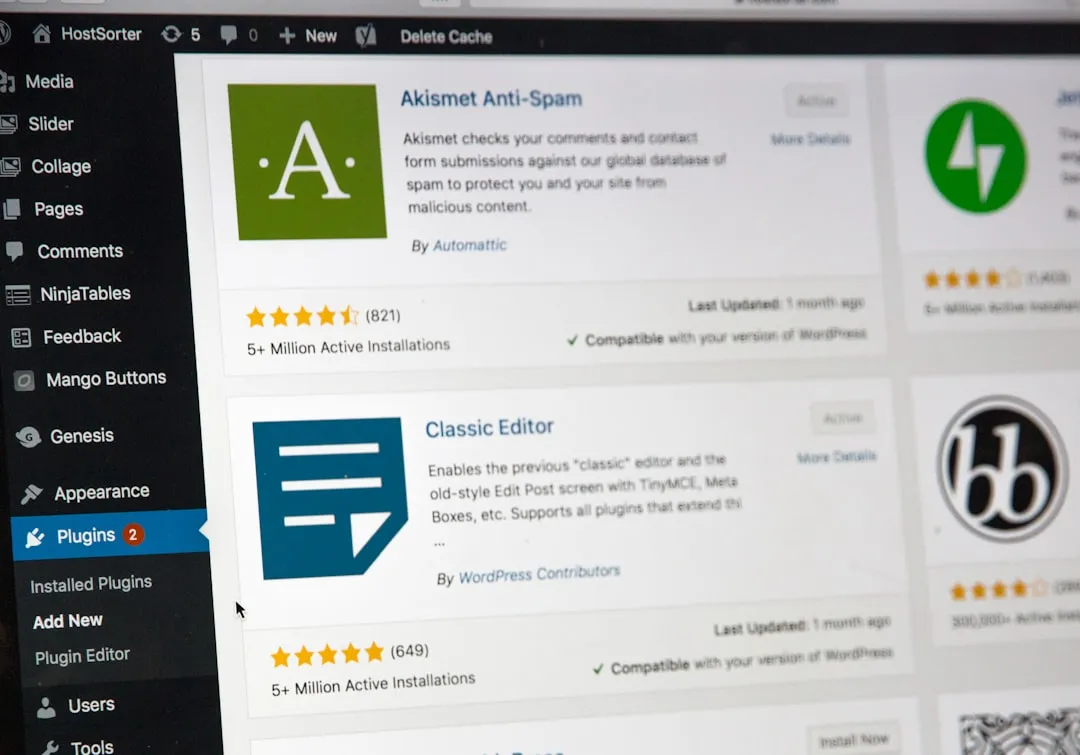
Figuring out which Software as a Service (SaaS) tools are actually worth your time and money can be a real headache. There's a sea of options out there, all promising the world, and it's tough to cut through the marketing fluff to find something genuinely useful. We've dug deep into five popular SaaS categories to give you some no-nonsense recommendations based on what really works, not just what's trendy. This isn't about promoting specific brands, but about highlighting tools that consistently deliver value and make a tangible difference for businesses.
When it comes to customer relationship management, a good CRM isn't just about tracking contacts; it's about building lasting relationships and streamlining your sales and support processes. The right CRM acts as the central hub for all your customer interactions, giving you a clear picture of every touchpoint. It should be intuitive enough for your sales team to actually use, powerful enough for your marketing team to segment and target effectively, and robust enough for customer service to handle inquiries with ease.
HubSpot CRM: The All-in-One Growth Platform
HubSpot consistently comes up as a top choice, and for good reason. It’s more than just a CRM; it’s a suite of tools designed to help businesses grow.
What Makes it Stand Out:
• Free-tier Accessibility: HubSpot offers a surprisingly robust free CRM that's excellent for small businesses just starting out or those with lighter needs. This isn't a stripped-down trial; it's a fully functional CRM that can manage contacts, track deals, and even integrate with your email.
• Scalability & Modularity: As your business grows, you can add "hubs" for marketing, sales, service, and content management. This modular approach means you only pay for what you need, but everything works together seamlessly. You can start with just the CRM, then layer on marketing automation or service desk features when you're ready.
• User-Friendly Interface: One of HubSpot's biggest strengths is its intuitive design. It’s relatively easy to onboard new users, which cuts down on training time and encourages adoption within your team. The dashboards are clear, and workflows are logical, making it less intimidating than some enterprise-level CRMs.
• Extensive Integrations: HubSpot plays well with many other popular business tools, from email marketing platforms to accounting software and project management systems. This open ecosystem allows you to build a comprehensive tech stack without a lot of custom development.
• Strong Reporting & Analytics: Understanding your customer journey is key, and HubSpot provides detailed reporting on sales pipelines, marketing campaign performance, and service team efficiency. You can track everything from lead source to customer lifetime value, helping you make data-driven decisions.
Potential Considerations:
• Cost for Advanced Features: While the free CRM is great, the cost can escalate quickly if you opt for multiple paid hubs and advanced features, especially for larger teams. It's crucial to evaluate your specific needs and budget carefully.
• Feature Overload for Small Teams: For very small businesses with basic needs, the sheer number of features in the full HubSpot suite might feel overwhelming, even if you only use a subset. It requires some discipline to only activate and use what's truly relevant.
Salesforce Sales Cloud: The Enterprise Powerhouse
Salesforce is the behemoth of the CRM world for a reason. It's incredibly powerful and customizable, designed to handle complex sales processes and large organizations.
What Makes it Stand Out:
• Unparalleled Customization: If you can dream it, Salesforce can probably do it. It offers an immense level of customization, allowing businesses to tailor workflows, fields, and objects to their exact specifications. This flexibility is critical for complex sales models or highly regulated industries.
• Extensive Ecosystem (AppExchange): The Salesforce AppExchange is like an app store for business software, offering thousands of integrations and add-ons that extend its functionality far beyond the core CRM. You can find solutions for almost any business need.
• Scalability for Large Enterprises: Salesforce is built to scale. It can handle massive amounts of data, thousands of users, and intricate organizational structures, making it a go-to for large corporations with global sales teams.
• Robust Reporting & AI (Einstein): Salesforce provides deep, granular reporting capabilities, allowing for sophisticated analysis of sales performance, forecasts, and customer trends. Its Einstein AI offers predictive analytics and insights, helping sales teams prioritize leads and opportunities.
• Industry-Specific Solutions: Salesforce offers specialized versions for various industries (e.g., Financial Services Cloud, Health Cloud), which come pre-configured with industry-specific functionalities and compliance features.
Potential Considerations:
• Steep Learning Curve: Salesforce is notoriously complex. It requires significant training and often dedicated administrators to set up and maintain effectively. The initial learning curve can be challenging for new users.
• High Cost: Salesforce is generally one of the more expensive CRM options, especially when you factor in implementation costs, ongoing administration, and add-ons from the AppExchange.
• Overkill for Small Businesses: For smaller companies with simpler sales processes, Salesforce can be excessive in terms of features, complexity, and cost. It's often more power than a small team needs.
Project management tools are critical for any team looking to organize tasks, collaborate effectively, and meet deadlines. They transform chaotic to-do lists into structured workflows. The best ones offer clarity on who's doing what, by when, and how it contributes to the bigger picture.
Asana: Flexible Task & Project Tracking
Asana is a very popular choice for teams needing a visual and flexible way to manage projects and tasks. It strikes a good balance between ease of use and powerful features.
What Makes it Stand Out:
• Visual Project Views: Asana offers multiple ways to view your projects – lists, boards (Kanban), timelines (Gantt-like), and calendars. This flexibility allows teams to work in a way that best suits their preferences and project types.
• Intuitive User Interface: Asana's interface is clean, modern, and generally easy to navigate. Tasks are easy to create, assign, and update, which promotes adoption across teams, from marketing to product development.
• Strong Collaboration Features: Teams can comment on tasks, attach files, set due dates, and track progress within Asana. It centralizes communication around specific tasks, reducing reliance on endless email chains.
• Good for Cross-Functional Teams: Its flexibility makes it suitable for diverse teams managing different types of projects, from content calendars to software development sprints.
• Workflow Automation: Asana allows for basic workflow automation, such as automatically assigning tasks or changing their status based on triggers, which can save a lot of manual effort.
Potential Considerations:
• Can Get Pricey for Advanced Features: While Asana has a decent free tier, unlocking advanced features like workload management, custom fields, and reporting requires upgrading to paid plans, which can add up for larger teams.
• Notifications Can Be Overwhelming: If not configured properly, the sheer volume of notifications from Asana can become a distraction, requiring users to customize their settings carefully.
• Less Robust for Complex Portfolio Management: While great for individual projects, Asana can be less ideal for managing really complex programs or portfolios of interconnected projects across an entire organization compared to more specialized tools.
Jira: Built for Software Development Teams
Jira, particularly Jira Software, is the industry standard for agile software development teams. It’s built from the ground up to support agile methodologies like Scrum and Kanban.
What Makes it Stand Out:
• Deep Agile Support: Jira excels at handling sprints, backlogs, user stories, epics, and all the artifacts of agile development. It provides specific workflows and reporting tailored to software teams.
• Powerful Issue Tracking: At its core, Jira is a robust issue tracker. It’s perfect for managing bugs, feature requests, and support tickets, allowing for detailed tracking and resolution workflows.
• Extensive Customization: Like Salesforce, Jira is highly customizable. You can define custom workflows, fields, screens, and permissions to match your exact development process.
• Strong Integrations with Dev Tools: Jira integrates seamlessly with a wide array of development tools, including code repositories (Bitbucket, GitHub), CI/CD pipelines, and testing frameworks.
• Advanced Reporting for Dev Metrics: Jira provides comprehensive reporting on development metrics, such as velocity charts, burn-down/up charts, and sprint reports, which are vital for agile teams.
Potential Considerations:
• Steep Learning Curve: Jira has a reputation for being complex and challenging to learn, especially for non-technical users. Its interface can feel less intuitive than more general-purpose project management tools.
• Overkill for Non-Dev Teams: For teams outside of software development (e.g., marketing, HR), Jira's development-centric features and terminology can be confusing and unnecessary.
• Cost Can Add Up: While it offers flexible pricing, extensive customization and add-ons can make Jira an expensive proposition, especially for enterprise-level deployments.
Marketing automation platforms are the backbone of any serious digital marketing strategy. They allow you to automate repetitive tasks like email campaigns, lead nurturing, and social media posting. The right platform not only saves time but also personalizes communications, leading to better engagement and conversion rates.
ActiveCampaign: Balanced Automation & CRM
ActiveCampaign is a powerful platform that blends email marketing, marketing automation, and a light CRM, making it a strong contender for businesses looking for an integrated solution without the enterprise price tag.
What Makes it Stand Out:
• Robust Automation Builder: ActiveCampaign’s "automations" are incredibly flexible. You can build complex, multi-step marketing funnels, sales sequences, and customer journeys based on a wide range of triggers and actions. This allows for highly personalized customer experiences.
• Integrated CRM (Lite): It includes a built-in CRM that allows you to manage contacts, deals, and tasks alongside your marketing efforts. This integration means you have a unified view of your customer relationships.
• Advanced Segmentation: ActiveCampaign offers powerful segmentation capabilities, allowing you to slice and dice your audience based on behavior, demographics, and custom fields. This is crucial for targeted messaging.
• Email Deliverability: They consistently focus on email deliverability, which is vital for ensuring your messages actually reach your audience's inboxes.
• Site & Event Tracking: You can track visitor behavior on your website and interactions with your emails, which feeds into your automation workflows and segmentation strategies.
Potential Considerations:
• Learning Curve for Advanced Automation: While the interface is user-friendly, setting up complex automations does require some time and effort to learn the system's capabilities.
• Limited A/B Testing for Automations: While individual emails can be A/B tested, testing entire automation flows can be more challenging and less intuitive than in some other platforms.
• CRM is Lighter than Dedicated Solutions: While useful, its CRM capabilities are not as deep or comprehensive as dedicated CRM platforms like Salesforce or HubSpot's Sales Hub.
Marketo Engage (Adobe): Enterprise-Grade Marketing Automation
Marketo, now part of Adobe Experience Cloud, is a true enterprise-grade marketing automation system. It's built for large organizations with complex marketing needs, extensive data, and a focus on lead management and revenue attribution.
What Makes it Stand Out:
• Comprehensive Lead Management: Marketo excels at lead scoring, nurturing, and routing. It allows for highly sophisticated lead qualification processes, ensuring sales only receive the most qualified leads.
• Deep Integrations for Enterprise: It integrates seamlessly with major CRMs (like Salesforce, Microsoft Dynamics), ERPs, and other enterprise systems, making it suitable for complex tech stacks.
Get first access to exclusive software reviews, hand-picked SaaS lifetime deals, and digital growth strategies delivered straight to your inbox. No spam, ever—just pure software value to scale your business.
60 subscribers have joined!
If you love lifetime SaaS deals as much as I do, then please subscribe to our monthly/weekly AppLuxe newsletter.
Marcus Vance, SaaS Specialist
• Advanced Analytics & Attribution: Marketo offers robust reporting and attribution models, allowing marketers to precisely track the ROI of their campaigns and understand the full customer journey.
• Scalability for Large Organizations: Designed to handle vast audiences and intricate campaign structures across multiple business units or global markets.
• Account-Based Marketing (ABM) Capabilities: Marketo has strong features to support ABM strategies, allowing businesses to target and engage key accounts effectively.
Potential Considerations:
• High Cost: Marketo is one of the most expensive marketing automation platforms on the market, pricing it out of reach for most small and medium-sized businesses.
• Significant Implementation & Training: Due to its complexity, implementing Marketo requires substantial resources, including dedicated personnel and specialized consultants. The learning curve is steep.
• Complex Interface: The user interface can feel dated and less intuitive compared to modern, browser-based tools. It often requires specific expertise to navigate and utilize effectively.
Effective communication is the lifeblood of any successful team, especially in remote or hybrid work environments. Collaboration tools go beyond simple chat, providing shared workspaces, file sharing, and integrated calling features to keep everyone on the same page.
Slack: The Real-Time Messaging Hub
Slack has become synonymous with real-time team communication. It provides a structured yet informal way for teams to chat, share files, and organize conversations around specific topics or projects.
What Makes it Stand Out:
• Channel-Based Communication: The ability to create dedicated channels for projects, teams, or topics keeps conversations organized and easily searchable. This reduces email clutter significantly.
• Extensive Integrations: Slack boasts thousands of integrations with other business tools, from project management software to CRMs and custom apps. This allows you to bring notifications and actions from other services directly into your Slack channels.
• Powerful Search Functionality: Finding past conversations, files, or decisions in Slack is remarkably easy, saving time that might otherwise be spent digging through emails.
• User-Friendly Interface: Slack is intuitive and enjoyable to use, contributing to high adoption rates within organizations. It helps foster a sense of real-time communication that can mimic in-person office banter.
• Voice and Video Calls: Built-in audio and video calling within channels or direct messages makes quick discussions easy, without needing to switch to another application.
Potential Considerations:
• Information Overload: For very active teams, the sheer volume of messages in Slack can be overwhelming, leading to potential notification fatigue or missed important messages.
• Cost Can Add Up for Large Teams: While the free tier is good for smaller teams, the per-user cost for paid plans can become substantial for larger organizations.
• Distraction Potential: The constant stream of messages can be a significant source of distraction if not managed with discipline and proper notification settings.
Microsoft Teams: The Integrated Microsoft 365 Experience
Microsoft Teams is more than just a chat application; it's a full-fledged collaboration hub deeply integrated into the Microsoft 365 ecosystem. For organizations already using Microsoft products, it's often a natural fit.
What Makes it Stand Out:
• Deep Microsoft 365 Integration: If your organization relies heavily on Outlook, SharePoint, OneDrive, and Office apps (Word, Excel, PowerPoint), Teams offers unparalleled integration. You can share files, collaborate on documents in real-time, and schedule meetings directly from Teams.
• Robust Meeting Capabilities: Teams provides comprehensive video conferencing features, including screen sharing, virtual backgrounds, meeting recordings, and live captions, making it a strong competitor to Zoom.
• Persistent Chat & Channels: Similar to Slack, Teams offers persistent chat and channels for organizing conversations and projects.
• Enterprise-Grade Security & Compliance: Being a Microsoft product, Teams comes with strong enterprise-level security, compliance features, and administrative controls, which are crucial for larger organizations.
• External Collaboration: Teams makes it relatively easy to collaborate with external guests, allowing them to join meetings and participate in specific channels.
Potential Considerations:
• Can Be Resource-Intensive: Teams can sometimes be a performance hog, especially for users with less powerful computers or multiple applications open.
• Less Intuitive for Non-Microsoft Users: For organizations not already entrenched in the Microsoft ecosystem, the sheer breadth of features and the interface might feel less intuitive than Slack or other standalone tools.
• Feature Overload: The integration of so many different functionalities (chat, meetings, files, apps) can sometimes make the interface feel cluttered or overwhelming for new users.
Your website is often the first impression a potential customer has of your business. A good website builder or content management system (CMS) allows you to create a professional, functional, and easily updatable online presence without needing to be a coding expert.
WordPress.org (Self-Hosted): Ultimate Flexibility & Control
When people talk about WordPress, they often mean WordPress.org – the free, open-source software that you install on your own hosting. This gives you maximum control and flexibility.
What Makes it Stand Out:
• Unparalleled Customization & Flexibility: With access to thousands of themes and plugins (both free and paid), you can create almost any type of website imaginable – from simple blogs and portfolios to complex e-commerce stores and membership sites.
• Massive Community Support: Because it's so widely used, there's a huge community of developers, designers, and users offering support, tutorials, and ready-made solutions.
• SEO-Friendly: WordPress is inherently SEO-friendly, and with plugins like Yoast SEO or Rank Math, you have powerful tools to optimize your site for search engines.
• Ownership of Your Data: Since you host the website, you have complete ownership and control over your content and data, which is a significant advantage over proprietary platforms.
• Scalability: WordPress can scale from a small personal blog to a high-traffic corporate website, provided you have good hosting and optimize your site correctly.
Potential Considerations:
• Requires Technical Setup & Maintenance: You need to manage your own hosting, security, backups, and updates. This requires a bit more technical know-how or a willingness to learn.
• Security Responsibility: While WordPress itself is secure, you are responsible for maintaining its security, including choosing strong passwords, using reputable plugins, and keeping everything updated.
• Potential for Performance Issues: A poorly coded theme, too many plugins, or cheap hosting can lead to slow website performance, which negatively impacts user experience and SEO.
Squarespace: Elegant Design & Managed Simplicity
Squarespace is a popular choice for individuals and small businesses prioritizing beautiful design and ease of use without the technical overhead of self-hosting.
What Makes it Stand Out:
• Stunning Templates: Squarespace is renowned for its high-quality, aesthetically pleasing, and mobile-responsive website templates. The design truly is a standout feature.
• All-in-One Platform: It's a fully hosted solution, meaning Squarespace handles all the technical aspects like hosting, security, and updates. You just focus on your content and design.
• User-Friendly Editor (Drag-and-Drop): The drag-and-drop editor is intuitive and easy to use, allowing users with no coding experience to create professional-looking pages.
• Built-in E-commerce & Marketing Tools: Squarespace includes integrated e-commerce features (product listings, checkout), email marketing, and basic SEO tools, making it a comprehensive solution for small businesses.
• Excellent Customer Support: They offer responsive customer support through various channels, which can be a lifesaver for non-technical users.
Potential Considerations:
• Less Flexible Customization: While the templates are beautiful, customization options are more limited compared to WordPress. You're largely working within the framework provided by Squarespace.
• Proprietary Platform Lock-in: You are tied to the Squarespace ecosystem. Migrating your site to another platform later can be more challenging than with open-source solutions.
• Limited Plugin/App Marketplace: While it has built-in features, the third-party app marketplace is not as extensive as WordPress, which might limit specific functionalities you need.
SaaS stands for Software as a Service, which is a software distribution model where applications are hosted by a third-party provider and made available to customers over the internet.
SaaS reviews provide valuable insights and feedback from users who have experience with the software. This helps businesses make informed decisions when choosing a SaaS solution that best fits their needs.
Common factors to consider when reviewing SaaS products include pricing, features, ease of use, customer support, security, scalability, and integration capabilities with existing systems.
SaaS review recommendations can be found on various platforms such as G2, Capterra, TrustRadius, and Software Advice. Additionally, industry-specific forums and communities often provide valuable insights and recommendations.
SaaS review recommendations are important because they provide real-world feedback and experiences from users, helping businesses make informed decisions and avoid potential pitfalls when choosing a SaaS solution.

LoyAnn Sherwood is the CEO and Founder of AppLuxe. She spent approximately 25 years in the healthcare industry before transitioning to digital entrepreneurship. Sherwood founded AppLuxe in 2026 after acquiring the domain and identifying an opportunity to build a luxury-positioned app and software marketplace. She manages the platform's editorial direction and business development strategy.
Get first access to exclusive software reviews, hand-picked SaaS lifetime deals, and digital growth strategies delivered straight to your inbox. No spam, ever—just pure software value to scale your business.
60 subscribers have joined!
If you love lifetime SaaS deals as much as I do, then please subscribe to our monthly/weekly AppLuxe newsletter.
Marcus Vance, SaaS Specialist