Discover expert articles on AI, SaaS, software, marketing, SEO, affiliate marketing and startup growth.
Discover expert articles on AI, SaaS, software, marketing, SEO, affiliate marketing and startup growth.
By LoyAnn Sherwood
Published on Jul 4, 2026
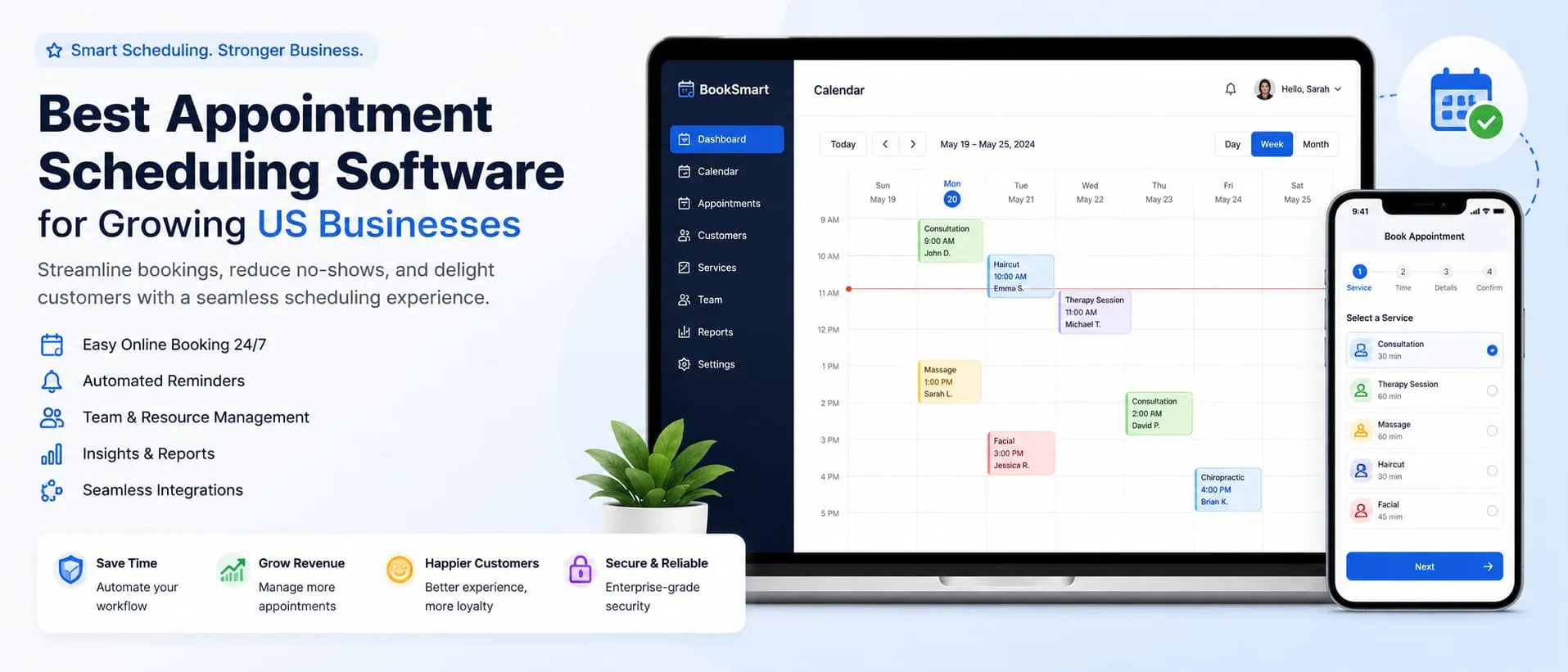
Running a service business without a proper booking system is like leaving money on the table every day. Calls get missed, double-bookings slip through, and a client who can't reach you at 9 p.m. on a Tuesday just books somewhere else. That's the quiet cost of manual scheduling — and it's exactly what appointment scheduling software was built to fix.
This guide covers what actually matters when choosing a scheduling tool, compares 10 platforms real US businesses rely on, and answers the questions owners ask before they commit. No fluff — just what you need to decide with confidence.
Scheduling is really just one piece of your software stack. If you're assembling tools for a growing team, it pairs naturally with the right project management software so bookings feed straight into how the work gets done.
A booking page that works around the clock changes how customers experience your business. Someone browsing providers late at night can lock in a slot instantly instead of waiting for a callback — and that speed is often the deciding factor between two similar businesses.
No-shows tell their own story. Businesses relying on phone or walk-in scheduling report far higher no-show rates than those using automated reminders. A text sent 24 hours before an appointment, paired with a one-tap reschedule link, quietly recovers hours of lost revenue every month with zero staff effort.
There's a staffing angle too. Every minute a front-desk employee spends confirming appointments by phone is a minute not spent on the customer in front of them. Automating that one task frees real payroll hours — whether you run a two-chair barbershop or a twelve-provider clinic.
Not every tool fits every business, and the wrong pick costs more in workarounds than it saves. Here's what separates a good fit from a frustrating one.
The booking page should load fast, work cleanly on a phone, and take the fewest taps to finish. If a client has to create a password just to grab a 15-minute slot, expect many to abandon halfway.
Two-way sync with Google Calendar, Outlook, or iCloud is non-negotiable. Without it, a client can book a slot you already filled elsewhere — one of the fastest ways to lose a new customer's trust.
Check whether reminders go out by email only, or by email and text. Texts get read within minutes; emails can sit for hours. Businesses with tight scheduling windows should prioritise SMS.
If you take deposits or full payment at booking, check the supported processors and the real transaction fees. Some tools lock you into their own processor; others connect Stripe, Square, or PayPal directly.
Multi-provider businesses need each staff member to manage their own availability without clashing, plus the ability to assign specific services or rooms to specific people.
Per-user pricing climbs fast past a fourth or fifth staff member. Flat-rate plans or generous free tiers often make more sense for small teams, while larger operations may prefer predictable per-seat costs.
Below is a side-by-side look at ten platforms commonly used across the United States, from solo consultants to multi-location service chains.
| Tool | Starting price | Free plan | Best for | Standout featureCol 5 |
|---|---|---|---|---|
| CalendlyCalendlyTool | $10/user/mo | Yes (limited) | Solo professionals & sales teams | Simple link-based booking |
| Acuity Scheduling | $16/mo | No (trial only) | Coaches, consultants, wellness pros | Deep intake forms & packages |
| Square Appointments | Free for 1 user | Yes | Retail & personal care shops that already use Square | Built-in point of sale |
| Setmore | Free for up to 4 users | Yes | Small teams on a tight budget | Generous free tier |
| SimplyBook.me | $9.90/mo | Yes (limited) | Multi-location service businesses | Custom booking widget add-ons |
| YouCanBook.me | $10.80/user/mo | No (trial only) | Teams juggling multiple calendars | Smart calendar-conflict logic |
| 10to8 | Free for 100 bookings/mo | Yes | Clinics and appointment-heavy offices | Two-way SMS reminders |
| Vagaro | $30/mo | No (trial only) | Salons, spas, and fitness studios | Built-in marketplace for new clients |
| HoneyBook | $19/mo | No (trial only) | Freelancers who need contracts & invoices too | All-in-one client management |
Calendly built its name on painless meeting scheduling, and that simplicity carries into client booking. Connect your calendar, set availability, share a link — you're live in minutes. See Calendly's official site for current plans.
Acuity suits service businesses that need more than a bare time slot — intake forms, package pricing, class series. A favourite among therapists, coaches, and tutors who collect details before a session. See Acuity Scheduling's official site for current plans.
For businesses already on Square, Appointments is an easy add-on sharing the same dashboard and rates. Retailers, barbers, and personal-care providers benefit most from the booking-plus-POS integration. See Square Appointments's official site for current plans.
Setmore stands out for how much it gives away for free. Up to four team members can run a full booking calendar with reminders at no cost, which makes it an easy starting point for a business that is not ready to commit to a monthly fee yet.
SimplyBook.me is built around modular add-ons, so businesses only pay for the features they actually use, whether that is a custom booking widget, coupon codes, or membership management. Multi-location businesses often appreciate the flexibility here.
YouCanBook.me focuses on preventing the scheduling chaos that comes from juggling multiple calendars at once. Its conflict-detection logic checks across every connected calendar before offering a time slot, which cuts down on accidental overlaps.
10to8 markets itself heavily toward appointment-heavy industries like clinics, salons, and repair shops, where a high volume of daily bookings makes two-way SMS reminders especially valuable for cutting down no-shows.
Get first access to exclusive software reviews, hand-picked SaaS lifetime deals, and digital growth strategies delivered straight to your inbox. No spam, ever—just pure software value to scale your business.
60 subscribers have joined!
If you love lifetime SaaS deals as much as I do, then please subscribe to our monthly/weekly AppLuxe newsletter.
Marcus Vance, SaaS Specialist
Vagaro was built specifically with salons, spas, and fitness studios in mind, and it shows in features like built-in marketing tools and a client marketplace that can surface your business to people searching nearby.
HoneyBook goes beyond scheduling into full client management, bundling contracts, invoices, and payment collection alongside booking. Freelancers and creative businesses, such as photographers and event planners, tend to get the most value from the bundle.
There's no single best tool — only the best fit for how you operate day to day.
Whichever you pick, it's a SaaS-buying decision — the same judgment applies to any tool. Our expert SaaS reviews walk through how to evaluate software fairly before you commit, and the AppLuxe software wiki is a quick place to look up any tool or term you run into along the way.
The biggest change this year is automation. Modern schedulers auto-detect time zones, reschedule around conflicts, and trigger reminder sequences on their own — and the newest tools add AI that suggests optimal slots and drafts follow-ups. It's part of the same wave reshaping software broadly; our guide on AI agents in SaaS covers where this is heading. Keeping clients happy after they book matters just as much — see SaaS customer success strategies for that side.
Picking the software is only half the job. A few habits make the difference between a tool that quietly runs in the background and one that gets abandoned within a few months.
A surprising number of businesses pick a scheduling platform, use it for a month, and quietly go back to pen and paper. Usually the tool is not the actual problem, the rollout is. A few missteps show up again and again.
Giving the new system a real two to four week trial run, with staff trained on the basics first, tends to prevent most of these issues before they start.
Almost every platform on this list offers either a free plan or a trial period, and that window is the best time to stress-test a tool before your card gets charged. A few questions are worth answering honestly before the trial ends.
If the answer to most of these is yes, that is usually a strong signal the platform will hold up once real client volume kicks in, not just during a quiet test week.
The right appointment scheduling software should disappear into the background of your business, quietly filling your calendar and cutting down on no-shows without adding extra work to your day. Start with a free trial or free tier, run it for a real week of business, and pay attention to how your clients react to the booking experience rather than just how the dashboard looks to you. That real-world test tells you more than any feature list ever will.
Is appointment scheduling software worth it for a small business with only one or two employees?
Yes, in most cases. Even a solo business owner loses hours every week to phone tag and rescheduling. A basic scheduling tool, even a free one, usually pays for itself the first month just from the no-shows it prevents through automatic reminders.
What is the real difference between a free plan and a paid plan?
Free plans typically cap the number of staff members, bookings, or calendar connections you can use, and they usually strip out SMS reminders, custom branding, and payment collection. Paid tiers unlock those extras and add reporting, which matters once you have more than a handful of appointments a week.
Can this type of software handle group classes or recurring appointments?
Most of the established platforms support recurring bookings and class-style scheduling with capacity limits, though the depth varies. If group scheduling is central to your business, such as a yoga studio or a tutoring center, test that specific workflow during a free trial before committing.
Will clients need to create an account to book with me?
No. Nearly every modern scheduling tool lets clients book through a simple link or embedded widget without signing up for anything. This is one of the biggest reasons these tools convert better than a plain contact form.
How much does payment processing usually cost inside these platforms?
Most platforms pass through standard card processing fees, generally in the range of 2.6 percent to 3 percent per transaction, plus a small flat fee. A few, like Square, keep this consistent with their existing payment rates, which simplifies bookkeeping.
Do I need separate software if I already use Google Calendar or Outlook?
No. The tools in this guide are built to sync with Google Calendar, Outlook, and iCloud so your availability stays accurate across every calendar you use, without double-booking yourself.
What happens if a client tries to book outside my working hours?
The software simply will not show that slot as available. You set your working hours, buffer time between appointments, and blackout dates once, and the booking page automatically respects those rules going forward.
Is it hard to switch from one scheduling tool to another later?
Switching is usually manageable since most platforms let you export client lists and appointment history as a spreadsheet. The bigger task is updating any booking links on your website, email signature, or social profiles, so plan for a short overlap period when migrating.
The right appointment scheduling software should disappear into the background — quietly filling your calendar and cutting no-shows without adding to your day. Start with a free trial or free tier, run it for a real week of business, and watch how clients react to the booking experience, not just how the dashboard looks to you. That real-world test tells you more than any feature list.

LoyAnn Sherwood is the CEO and Founder of AppLuxe. She spent approximately 25 years in the healthcare industry before transitioning to digital entrepreneurship. Sherwood founded AppLuxe in 2026 after acquiring the domain and identifying an opportunity to build a luxury-positioned app and software marketplace. She manages the platform's editorial direction and business development strategy.
Get first access to exclusive software reviews, hand-picked SaaS lifetime deals, and digital growth strategies delivered straight to your inbox. No spam, ever—just pure software value to scale your business.
60 subscribers have joined!
If you love lifetime SaaS deals as much as I do, then please subscribe to our monthly/weekly AppLuxe newsletter.
Marcus Vance, SaaS Specialist