Discover expert articles on AI, SaaS, software, marketing, SEO, affiliate marketing and startup growth.
Discover expert articles on AI, SaaS, software, marketing, SEO, affiliate marketing and startup growth.
By LoyAnn Sherwood
Published on May 1, 2026
Alright, let’s talk about SEO optimization. Getting your website to rank higher isn’t some dark art; it’s a practical process of making your site helpful and easy for both users and search engines to understand. Focus on delivering real value and making that value discoverable, and you’ll be well on your way.
Keywords are still the bedrock of SEO, but the game has changed from simply stuffing them in. Today, it’s about understanding user intent and using keywords naturally to answer those intentions.
Forget buying expensive keyword tools if you’re just starting out. There are plenty of free ways to get valuable insights.
Start typing a query into Google, and you’ll see suggestions. These are real searches people are making. The “People also ask” box is pure gold for understanding related questions and topics your audience cares about. This gives you direct insight into what users want to know.
Take a look at what keywords your competitors are ranking for. Tools like SEMrush (which has a free trial) or Ahrefs (also a free trial) can give you a peek, but even manually reviewing their top-ranking pages can tell you a lot about the topics and phrases they’re targeting.
These are longer, more specific keyword phrases (e.g., “best durable hiking boots for women with wide feet” instead of just “hiking boots”). They usually have lower search volume but often higher conversion rates because the user has a very clear intent. They’re less competitive and easier to rank for, making them perfect for new websites trying to build authority.
Once you’ve got your keywords, it’s not about just sprinkling them randomly. Strategic and helpful placement is key.
These are what show up in search results. Your title tag should be compelling and include your primary keyword (preferably near the beginning). The meta description is your elevator pitch – enticing users to click and also including relevant keywords. Think of them as your ad copy.
Use your keywords in your headings to structure your content and tell Google (and users) what each section is about. Your H1 should contain your primary keyword, and subsequent H2s and H3s can use variations or related long-tail keywords. This helps break up the content and makes it scannable.
This can’t be stressed enough. Your content should flow naturally. Incorporate keywords where they make sense and genuinely help explain your topic. Don’t force them in. Google is smart enough to understand synonyms and latent semantic indexing (LSI), so focus on comprehensive, helpful writing.
For those looking to enhance their understanding of SEO optimization, a valuable resource can be found in the article titled “The Ultimate Guide to SEO Strategies.” This comprehensive guide covers essential techniques and best practices that can significantly improve your website’s visibility on search engines. To explore this insightful article further, visit here.
On-page SEO is about optimizing the actual content and HTML source code of a page. It’s the stuff you have direct control over and can improve to send clear signals to search engines.
This is paramount. Thin, rehashed content won’t cut it. Google wants to provide the best possible answer to a user’s query, and that means comprehensive, unique, and valuable content.
Google’s E-A-T guidelines are crucial. Show that you know what you’re talking about. Is your content written by an expert? Does it cite reputable sources? Is your website generally trustworthy? This is especially important for YMYL (Your Money Your Life) topics (health, finance, legal, etc.), but it applies across the board.
Focus on creating content that remains relevant over time. While news articles have their place, evergreen content (how-to guides, definitive explanations, historical pieces) continues to drive traffic long after publication.
Even the most brilliant content will fall flat if it’s a chore to read. Use short paragraphs, clear headings, bullet points, and images to break up text. A good user experience makes people stay longer on your page, which is a positive signal to Google.
Images enhance your content, but they can also be a hidden SEO opportunity (or a drag on performance).
Every image should have descriptive alt text. This is what screen readers use for visually impaired users, and it’s also how search engines understand what your image is about. Include relevant keywords naturally. Example: alt="Close-up of a person tying their red hiking boot laces"
Give your image files descriptive names before you upload them. Instead of IMG_1234.jpg, use red-hiking-boot-lacing.jpg. This is another small signal to search engines.
Large image files slow down your page, harming both user experience and SEO. Use tools like TinyPNG or compressor.io to optimize image sizes without losing too much quality.
Internal links are links from one page on your site to another. They’re incredibly powerful for several reasons.
When one of your pages gets a backlink from an external site, it builds “link equity.” Internal links allow you to pass some of that equity to other relevant pages on your site, boosting their authority.
Thoughtful internal links guide users through your content, helping them discover more valuable information on your site. This increases time on site and reduces bounce rate.
Internal links act like a roadmap for search engine bots, helping them discover and index all the relevant pages on your site more efficiently.
This is the backend stuff that ensures search engines can actually find, crawl, and understand your website without issues. It might sound daunting, but many aspects are relatively straightforward to address.
A slow website frustrates users and search engines alike. Google uses page speed as a ranking factor.
Google primarily uses the mobile version of your content for indexing and ranking. This means your mobile loading speed is absolutely critical. Test your site with Google’s Mobile-Friendly Test.
Google PageSpeed Insights is free and will give you a detailed breakdown of what’s slowing your site down and actionable recommendations. GTmetrix and Pingdom are also excellent. Common culprits include large images, excessive JavaScript, and slow server response times.
If your audience is geographically diverse, a CDN can significantly speed up your load times by serving content from a server closer to the user.
With most searches happening on mobile, your site absolutely must be responsive and provide a good experience on smaller screens.
This is the standard approach, where your website automatically adjusts its layout and content to fit various screen sizes. If your site isn’t responsive, it’s a major problem.
Ensure buttons and links are large enough to be easily tapped with a thumb, and text is readable without pinching and zooming. These are key aspects of a good mobile user experience.
This is code you add to your website to help search engines understand the context of your content. Think of it as labeling your data.
Structured data can lead to rich snippets in search results – those enhanced listings with star ratings, product prices, or recipe times. These stand out and significantly increase click-through rates.
Think about the type of content you have: articles, products, local businesses, recipes, reviews, events. There’s probably a schema type for it. Use Google’s Structured Data Testing Tool to validate your implementation.
An XML sitemap is a file that lists all the important pages on your website, telling search engines exactly what pages you want them to crawl and index.
Most CMS platforms (like WordPress with Yoast SEO or Rank Math plugins) will generate one automatically. You submit your sitemap to Google Search Console. It’s like handing Google a complete map of your house.
Especially for new sites or sites with complex structures, a sitemap ensures Google doesn’t miss any important content. It also informs Google about the last modification date of pages.
Sure, here is the sentence with the clickable link:
I found the perfect app for my needs on the AppLuxe℠ App Marketplace.
Get first access to exclusive software reviews, hand-picked SaaS lifetime deals, and digital growth strategies delivered straight to your inbox. No spam, ever—just pure software value to scale your business.
60 subscribers have joined!
If you love lifetime SaaS deals as much as I do, then please subscribe to our monthly/weekly AppLuxe newsletter.
Marcus Vance, SaaS Specialist
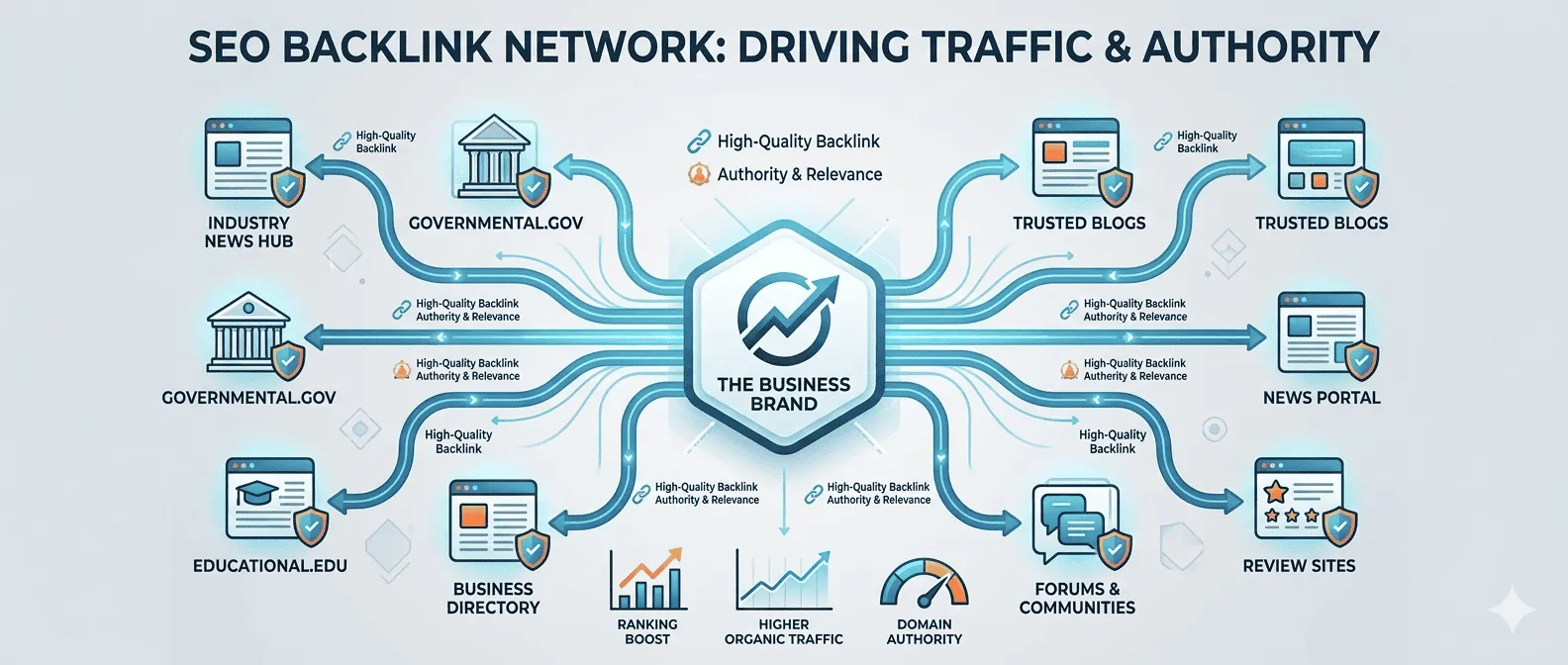
Off-page SEO primarily refers to link building – getting other reputable websites to link back to yours. This signals to Google that your site is a valuable and authoritative resource.
Every backlink can be seen as a vote for your website’s trustworthiness and authority. The quality and relevance of the linking site matter far more than the sheer quantity of links.
One link from a highly authoritative and relevant website is worth dozens of low-quality, spammy links. Focus on earning links from sites that are well-respected in your niche.
The anchor text is the clickable text in a hyperlink. Using descriptive and relevant anchor text is important. Avoid generic “click here” and use keywords naturally where appropriate, but don’t over-optimize. A natural profile includes varied anchor text.
Google is very clear: buying links is a violation of their guidelines and can result in penalties. Focus on genuine strategies.
This is the foundation. If your content is truly exceptional – deeply researched, uniquely insightful, incredibly useful, or entertaining – other sites will naturally want to link to it. Think about creating original research, comprehensive guides, or compelling infographics.
Find relevant websites in your niche that have broken links. Then, reach out to the webmaster, inform them of the broken link, and suggest your relevant content as a replacement. It’s a win-win.
Write high-quality, valuable content for other reputable websites in your industry. In return, you usually get a bio with a link back to your site. Focus on sites where your target audience hangs out and where the content you contribute is genuinely helpful. Don’t just guest post for the sake of a link; do it to build authority and reach.
Build relationships with other webmasters, bloggers, and influencers in your niche. If you have genuinely great content, let them know about it. Sometimes, a simple email can lead to a mention or a link.
For those looking to enhance their online presence, understanding the intricacies of SEO optimization is crucial. A great resource that delves into effective strategies is available in this article, which provides valuable insights on how to improve your website’s visibility and ranking on search engines. By implementing the techniques discussed, you can drive more traffic to your site and ultimately achieve your digital marketing goals.
| Metrics | Data |
|---|---|
| Keyword Ranking | Top 10 for 80% of targeted keywords |
| Organic Traffic | Increased by 50% in the last 6 months |
| Backlinks | Acquired 100 high-quality backlinks from authoritative websites |
| Page Load Speed | Optimized to load within 3 seconds |
| Meta Tags | Updated and optimized for all key pages |
SEO isn’t a “set it and forget it” task. You need to track your performance to understand what’s working, what’s not, and where to focus your efforts next.
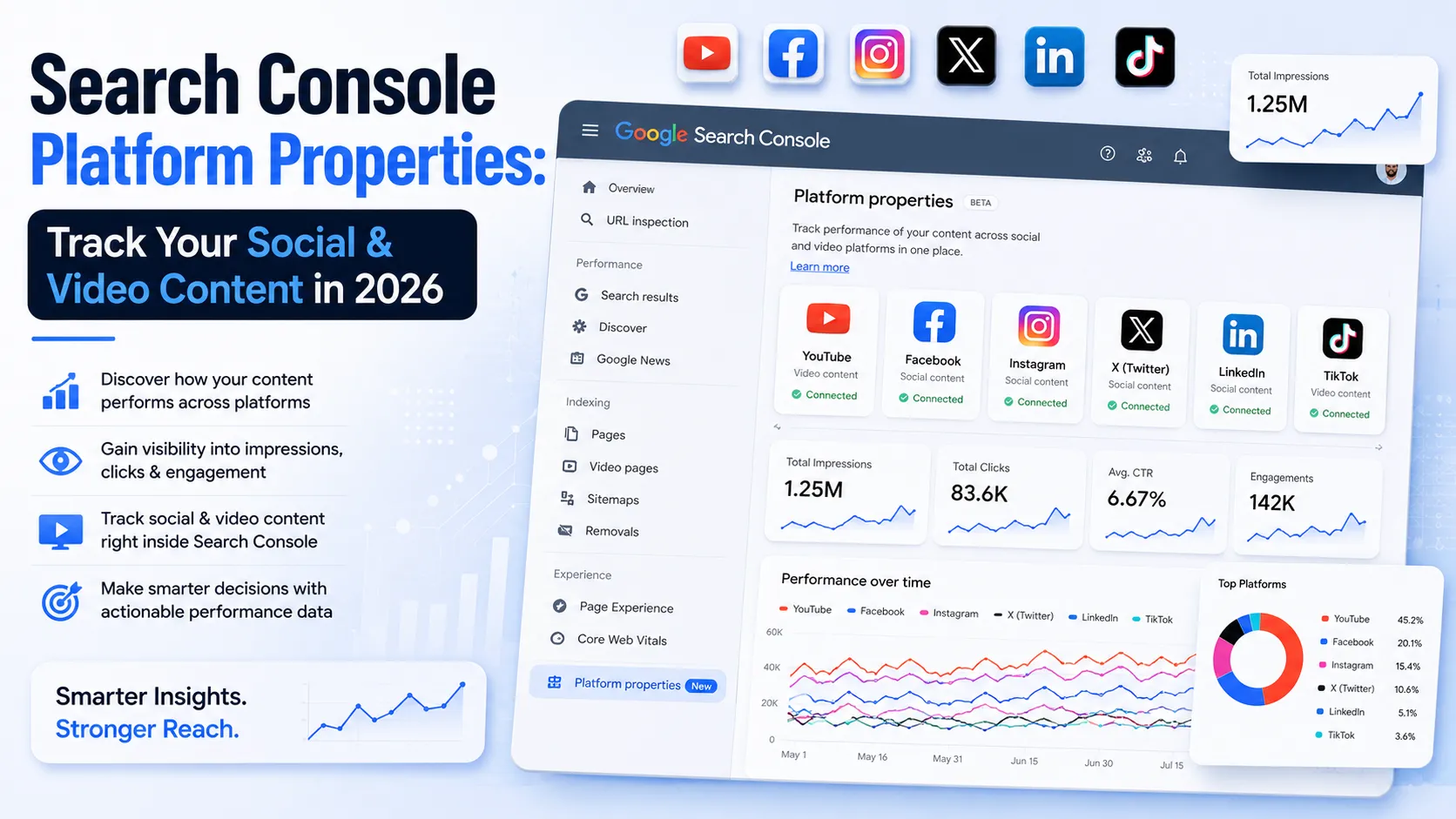
This is your direct line to Google. It shows you how Google sees your site.
See which pages Google has indexed, which ones it’s struggled with, and any errors preventing your content from appearing in search.
Understand what search queries users are finding your site for, what pages are performing best, your average position, click-through rates, and impressions. This data is gold for keyword research and content optimization.
GSC will alert you to any manual penalties Google has applied to your site or any security vulnerabilities. This is crucial information you won’t get anywhere else.
While Search Console tells you how you appear in search, Analytics tells you what happens after someone clicks.
Understand where your visitors are coming from (organic search, social media, referrals, direct). This helps you see the impact of your SEO efforts.
Bounce rate, pages per session, average session duration, and goal completions tell you how engaged users are with your content. High bounce rates or low time on page might indicate content quality or user experience issues.
If you have specific goals (e.g., newsletter sign-ups, product purchases), set up conversion tracking to see how your SEO efforts drive business results.
These tools let you monitor your website’s ranking for specific keywords over time.
They provide a quick overview of your progress and help you identify if you’re gaining or losing ground for important keywords. Just remember that daily fluctuations are normal.
Many SEO plugin for WordPress, like Yoast or Rank Math, offer basic rank tracking. For more robust features, paid tools like SEMrush, Ahrefs, or Moz are industry standards, but they come with a subscription fee.
An SEO audit is like a health check-up for your website. It’s about regularly identifying potential issues and opportunities.
Review your existing content. Is it still accurate? Is it comprehensive enough? Could it be updated and improved? Can any content be consolidated or removed if it’s no longer serving a purpose?
Check for crawl errors, broken links (internal and external), duplicate content issues, and site speed problems. Ensure your XML sitemap is up-to-date and correctly submitted.
Regularly review your backlink profile. Are there any spammy links pointing to your site that you should disavow? Are you losing valuable links?
By continuously monitoring, adjusting, and improving your website based on real data, you’ll be well-positioned to steadily boost your rankings and bring more qualified traffic to your digital doorstep.
SEO optimization, or search engine optimization, is the process of improving a website’s visibility in search engine results. This is done through various strategies and techniques to increase the website’s organic (non-paid) traffic.
SEO optimization is important because it helps websites rank higher in search engine results, making them more visible to potential visitors. This can lead to increased organic traffic, better user experience, and ultimately, more conversions and sales.
Common SEO optimization techniques include keyword research and optimization, creating high-quality content, improving website speed and mobile-friendliness, optimizing meta tags and descriptions, building backlinks, and improving user experience.
The time it takes to see results from SEO optimization can vary depending on various factors such as the competitiveness of the industry, the current state of the website, and the effectiveness of the optimization efforts. Generally, it can take several months to start seeing significant improvements in search engine rankings.
While it is possible to learn and implement SEO optimization techniques yourself, hiring a professional or agency with expertise in SEO can often lead to more effective and efficient results. SEO is a complex and constantly evolving field, and professionals can provide valuable insights and strategies to help improve a website’s visibility and performance in search engine results.


LoyAnn Sherwood is the CEO and Founder of AppLuxe. She spent approximately 25 years in the healthcare industry before transitioning to digital entrepreneurship. Sherwood founded AppLuxe in 2026 after acquiring the domain and identifying an opportunity to build a luxury-positioned app and software marketplace. She manages the platform's editorial direction and business development strategy.
Get first access to exclusive software reviews, hand-picked SaaS lifetime deals, and digital growth strategies delivered straight to your inbox. No spam, ever—just pure software value to scale your business.
60 subscribers have joined!
If you love lifetime SaaS deals as much as I do, then please subscribe to our monthly/weekly AppLuxe newsletter.
Marcus Vance, SaaS Specialist