Discover expert articles on AI, SaaS, software, marketing, SEO, affiliate marketing and startup growth.
Discover expert articles on AI, SaaS, software, marketing, SEO, affiliate marketing and startup growth.
By LoyAnn Sherwood
Published on Apr 8, 2026
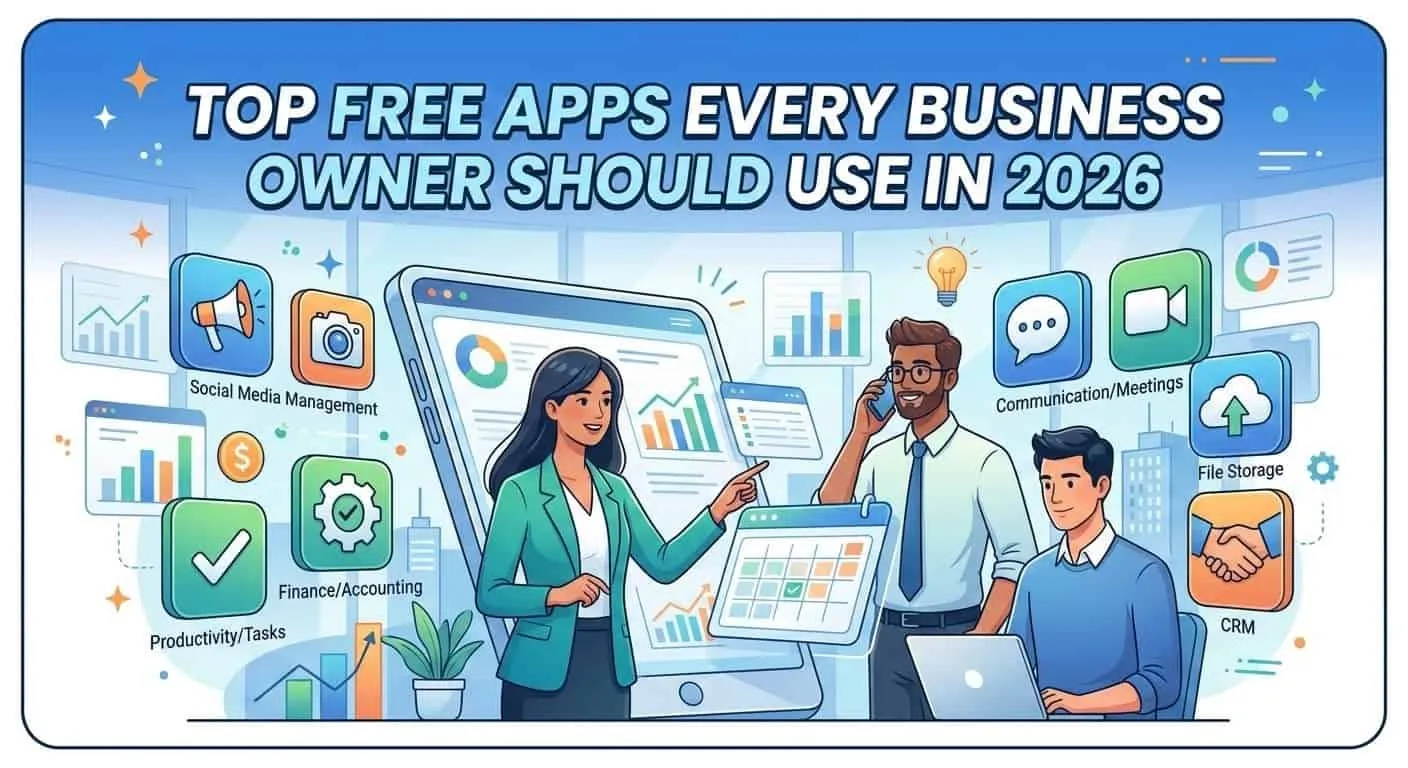
In today’s competitive business landscape, efficiency, collaboration, and smart decision-making are what separate thriving companies from struggling ones. But not every tool that makes your business better has to cost you an arm and a leg. In fact, in 2026, there are incredibly powerful free apps that can help you with:
Whether you’re bootstrapping your startup or you’re a seasoned business owner looking to cut costs, these tools can save you time and money.
Looking for more tools like these? Explore our Apps & Software section for the latest tools and platforms.
Let’s dive into the best free tools every business owner should consider this year.
Notion has become one of the most talked-about productivity platforms of recent years — and there’s a reason for it: it combines docs, databases, project plans, wikis, and more into one customizable workspace.
Notion lets you:
One of the biggest advantages of Notion is that you can tailor it to your exact workflow, whether you’re a solo founder or managing a cross-functional team.
👉 Tip: Start with a template (Notion offers tons) so you don’t have to build everything from scratch.
If you’re exploring modern productivity platforms, check out our AI Tools to discover smarter ways to work.
If you want a simple but powerful way to manage tasks and projects, Trello is one of the best free tools around.
Trello uses boards, lists, and cards that visually represent your priorities:
It’s especially helpful for visual thinkers who want to see what’s happening, what’s next, and what needs attention without complexity.
👉 Tip: Use Trello’s automation feature (“Butler”) to save time on repetitive tasks.
For more workflow and task management strategies, visit our Business category.
Google’s free suite — including Docs, Sheets, Drive, Calendar, and more — is still a cornerstone for startups and entrepreneurs.
Whether you’re drafting business proposals in Google Docs, tracking numbers in Sheets, or scheduling meetings with Calendar, this free ecosystem gives you the basics without a subscription.
👉 Tip: Use Google Forms to collect customer feedback or intake information — it’s free and incredibly versatile.
You can also explore our Technology section for more essential tools and updates.
Effective communication is essential — but email can be too slow and disjointed. That’s where Slack shines.
Slack brings your team’s communications together into one searchable place. With channels, direct messages, and integrations with tools like Google Drive and Trello:
Even the free plan provides enough features for many small teams, including searchable messaging history (up to the last 90 days) and voice/video calling.
👉 Tip: Create channels for key topics (e.g., “Marketing,” “Sales,” “Support”) to keep discussions organized.
For more communication and team tools, check our SaaS tools section.
Keeping your finances in order is one of the biggest challenges for business owners — especially if you’re handling books for yourself. Wave provides free accounting and invoicing tools that can handle the basics of your financial operations.
Wave works well for freelancers, consultants, and small businesses that don’t yet need a full accounting suite.
👉 Tip: Use Wave to send automated reminders for unpaid invoices — it can improve cash flow without extra effort.
Not every business owner is a designer — but Canva makes graphic design accessible to anyone, without any technical skill.
Canva’s free plan gives access to thousands of templates and design tools that are more than enough for everyday business materials.
👉 Tip: Create standard sizes (e.g., Instagram post, Facebook cover) and save them as templates to reuse design layouts.
If you’re interested in marketing and content tools, explore our Make Money Online strategies.
Time is your most valuable resource — especially when you’re juggling many roles. Clockify is a free time-tracking tool that helps you understand where your hours are going.
Whether you bill by the hour or just need to become more efficient, time tracking can reveal blind spots in your schedule.
👉 Tip: Use time reports to identify your most productive hours — then schedule deep work during those times.
Get first access to exclusive software reviews, hand-picked SaaS lifetime deals, and digital growth strategies delivered straight to your inbox. No spam, ever—just pure software value to scale your business.
60 subscribers have joined!
If you love lifetime SaaS deals as much as I do, then please subscribe to our monthly/weekly AppLuxe newsletter.
Marcus Vance, SaaS Specialist
Whether it’s sales emails, proposals, content, or social captions, clear writing builds credibility. Grammarly’s free version can dramatically improve your writing quality.
Clear communication not only boosts professionalism — it reduces misunderstandings.
👉 Tip: Install Grammarly’s browser extension so your writing is corrected everywhere you type.
If you’re looking for a more comprehensive project management tool than Trello, Freedcamp might be your answer.
Freedcamp’s free plan supports:
It’s designed to scale with your business without forcing you into a paid plan too soon.
👉 Tip: Use Freedcamp to organize quarterly OKRs (objectives and key results) so your team always has clear goals.
Learn more about scaling workflows in our Business category.
Some of the best tools are simple — and Workflowy proves that a small, focused app can be extremely powerful.
Workflowy uses nested lists to capture thoughts, tasks, and plans:
Its minimalist design keeps you focused without distraction.
👉 Tip: Use tags and indents to group related thoughts — it’s a simple way to create structure and clarity.
While the list above focuses on ten core apps, there are additional free tools that many business owners find invaluable:
Combining these with your primary tools can give you a fully capable business stack without a monthly subscription.
You can also discover more insights in our blog section for latest updates and guides.
Picking tools isn’t just about picking the most popular — it’s about picking what fits your workflow.
Here’s a quick decision guide:
Even the best tools are only as good as how you use them.
Before you install any app, ask:
“What problem am I trying to solve?”
Use 2–3 tools deeply rather than 10 tools superficially.
Most of these tools connect with one another, which saves time and reduces context switching.
Every quarter, evaluate whether a tool is still serving your needs.
Business tools no longer need to cost money to be effective. From project management to design, finance to communication, there are free apps that rival paid alternatives — if you use them right.
Whether you’re just starting out or scaling your company to new heights, adopting these tools will help you:
Want to explore more tools and strategies? Browse our Apps & Software and AI Tools categories for curated resources.
Start with a couple of tools today — and watch how they transform your workflow, one feature at a time.
about | FAQ | Forum | Guest Post
[rafflepress id=”1″]


LoyAnn Sherwood is the CEO and Founder of AppLuxe. She spent approximately 25 years in the healthcare industry before transitioning to digital entrepreneurship. Sherwood founded AppLuxe in 2026 after acquiring the domain and identifying an opportunity to build a luxury-positioned app and software marketplace. She manages the platform's editorial direction and business development strategy.
Get first access to exclusive software reviews, hand-picked SaaS lifetime deals, and digital growth strategies delivered straight to your inbox. No spam, ever—just pure software value to scale your business.
60 subscribers have joined!
If you love lifetime SaaS deals as much as I do, then please subscribe to our monthly/weekly AppLuxe newsletter.
Marcus Vance, SaaS Specialist