
Discover expert articles on AI, SaaS, software, marketing, SEO, affiliate marketing and startup growth.
Discover expert articles on AI, SaaS, software, marketing, SEO, affiliate marketing and startup growth.
By LoyAnn Sherwood
Published on Feb 27, 2026
Elementor Pro Review (2026): Features, Pricing & Is It Worth It?
Elementor is one of the most powerful website design tools available for WordPress users. In this detailed Elementor Pro review, we examine whether upgrading from the free version is truly worth it in 2026.
The free version allows basic drag-and-drop page building. However, Elementor
What is Elementor Pro?
Pro unlocks:
If you’re searching for the best WordPress page builder, Elementor Pro is often ranked at the top because it combines flexibility, ease of use, and marketing-focused tools.
According to WordPress plugin statistics, Elementor powers millions of active websites globally, making it one of the most trusted builders in the ecosystem.
Key Features of Elementor Pro
Every strong Elementor Pro review must evaluate the core features that justify the upgrade.
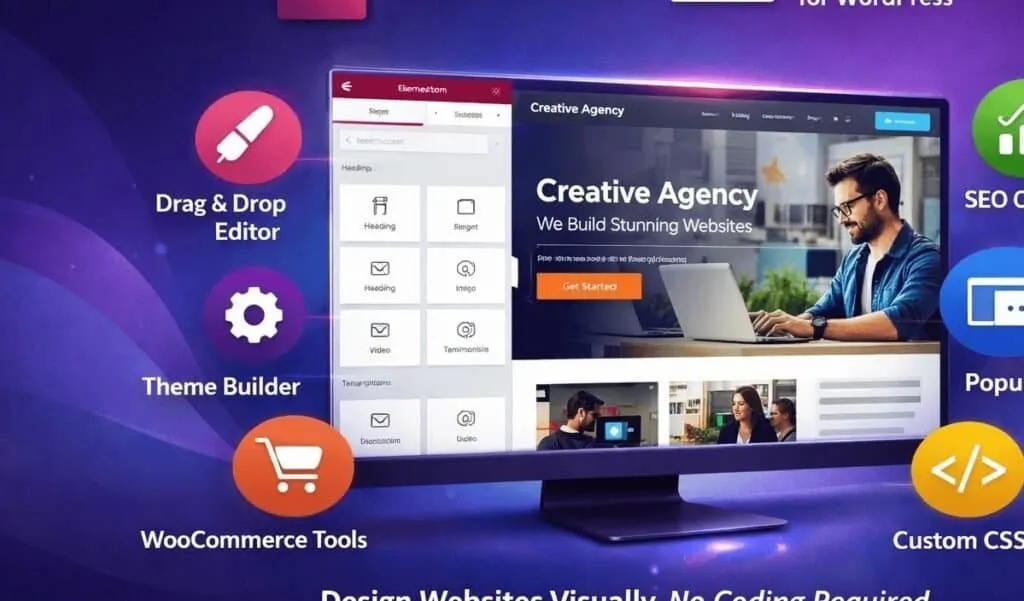
1. Drag & Drop Visual Editor
Elementor Pro’s real-time visual editor allows you to design pages without coding. You can:
This intuitive workflow is why many users consider it the best WordPress page builder for beginners and professionals alike.
2. Advanced Widgets
Elementor Pro includes over 50 premium widgets such as:
These built-in tools eliminate the need for multiple third-party plugins, keeping your site cleaner and more optimized.
3. Theme Builder
One of the most powerful Pro features is Theme Builder. You can customize:
Without touching code.
This feature alone makes Elementor Pro significantly more powerful than the free version.
4. Popup Builder
For affiliate marketers and bloggers, Popup Builder is extremely valuable. You can create:
No additional software required.
5. WooCommerce Builder
If you run an online store, Elementor Pro allows full customization of product and checkout pages. This makes it ideal for eCommerce businesses that want design flexibility.

6. Elementor Templates
Access to premium Elementor templates is a major selling point. You get:
These ready-made designs drastically reduce development time.
Elementor Pricing (2026)
Understanding Elementor pricing is essential before purchasing.
Plans typically include:
Pricing usually starts around $59/year for a single site license.
Unlike some competitors, Elementor does not offer lifetime access — all plans are subscription-based.
For the latest updates and official details, refer to the official Elementor website.
Get first access to exclusive software reviews, hand-picked SaaS lifetime deals, and digital growth strategies delivered straight to your inbox. No spam, ever—just pure software value to scale your business.
60 subscribers have joined!
If you love lifetime SaaS deals as much as I do, then please subscribe to our monthly/weekly AppLuxe newsletter.
Marcus Vance, SaaS Specialist
Pros & Cons
A balanced Elementor Pro review should always consider both strengths and weaknesses.
✅ Pros
❌ Cons
Overall, the advantages strongly outweigh the disadvantages for most users.
Elementor vs Competitors
When comparing builders, two names often come up.
Elementor vs Divi
Divi offers lifetime pricing, which Elementor does not. However, Elementor provides a more modern UI and stronger popup marketing features.
Elementor vs Beaver Builder
Beaver Builder is known for clean code and developer-friendly structure. However, Elementor Pro offers more built-in design elements and a larger template ecosystem.
In most head-to-head comparisons, Elementor strikes the best balance between usability and power.
Performance & Hosting Recommendation
Even the best WordPress page builder needs reliable hosting to perform well.
If you are launching a new site, choosing the right host is crucial. We recommend reading our detailed Bluehost review to understand why it remains a popular beginner hosting option:
👉 Internal Link Suggestion:
Anchor Text: Bluehost hosting review
URL: /bluehost-review/
Strong hosting combined with Elementor Pro ensures better loading speed and SEO performance.
Who Should Use Elementor Pro?
Elementor Pro is ideal for:
If you want full design control without coding, Elementor Pro remains one of the safest investments in 2026.
Final Verdict: Is Elementor Pro Worth It?
This complete Elementor Pro review confirms that the plugin continues to dominate the WordPress builder market.
If you:
Then Elementor Pro is absolutely worth considering.
While not perfect, it remains one of the most feature-rich and reliable page builders available today.
🔗 Internal Linking Strategy (Content Silo Plan)
To strengthen SEO between both articles:
From Elementor Article → Bluehost Article
From Bluehost Article → Elementor Article
Add this paragraph inside Bluehost article:
If you’re planning to design your website visually, read our detailed Elementor Pro review to see why it’s considered the best WordPress page builder.
This creates topical relevance between:
Google loves this structured silo approach.
[rafflepress id=”1″]

LoyAnn Sherwood is the CEO and Founder of AppLuxe. She spent approximately 25 years in the healthcare industry before transitioning to digital entrepreneurship. Sherwood founded AppLuxe in 2026 after acquiring the domain and identifying an opportunity to build a luxury-positioned app and software marketplace. She manages the platform's editorial direction and business development strategy.
Get first access to exclusive software reviews, hand-picked SaaS lifetime deals, and digital growth strategies delivered straight to your inbox. No spam, ever—just pure software value to scale your business.
60 subscribers have joined!
If you love lifetime SaaS deals as much as I do, then please subscribe to our monthly/weekly AppLuxe newsletter.
Marcus Vance, SaaS Specialist